









For creators and small studios
The work is creative.
The plumbing isn’t.
Right now that plumbing is six browser tabs and a folder of exports. 5AM collapses it into one — from your browser, phone, terminal, or AI agent.
- Generation
- Voice
- Editing
- Encoding
- Storage
- Delivery
5 GB free · No card required · Running a team?
Built on the frontier — Gemini 3.1 · Nano Banana 2 · Veo 3.1 · DALL·E 3 · Stripe payouts
0 GB
free to start. No card required.
$0.0001
to semantically index a photo — on your own key.
0%
markup on tokens. Bring your own keys.
The Tab Tax
Nobody budgets for the handoffs.
The tools are fast. Moving between them isn't — and that's where the day goes.
Re-export roulette
Every platform wants a different aspect ratio, so the same cut gets rendered again and again — once per destination.
Clip Maker cuts portrait, square, and landscape from one source. The video editor exports in your browser.
Assets with no home
Generated material lives inside whichever tool made it. Finding last month’s render means remembering which tab you were in.
Images, audio, music, and video land straight in your library, searchable by meaning.
Context you re-type
Every tool starts from zero. You re-explain the brand, the tone, and the project to a stranger each morning.
AI Characters keep memory, skills, and library access between sessions.Premium
One Real Workflow
One long talk. A week of vertical clips.
Same job, both sides. The difference isn't the editing — it's everything around it.
Across your stack
7 apps · 6 handoffs
Cloud drive
Download the source file
Editor
Scrub for the moments worth keeping
Cut each clip
Reframing tool
Reframe every clip to vertical
Transcription service
Generate a transcript
Subtitle tool
Style and burn in the subtitles
Encoder
Export each clip separately
Storage
Upload every clip back
In 5AM
One screen
- 1
Point Clip Maker at the video — a local file, or anything already in your library
- 2
It transcribes, picks the strongest moments, and writes a title for each
- 3
Clips render on your own machine, subtitles burned in, in portrait, square, or landscape
- 4
Publish straight to an album — or open the whole set as a video-editor project
The source video never uploads. Clip Maker runs through 5am studio, a companion you run on your own machine. Only a small audio track goes to Gemini — on your own key — and rendering is local ffmpeg. Only the finished clips come back.
That’s also why it’s free on every plan, including Free.
One Hub
Every step between the shoot and the payout.
A timeline editor instead of a download. A generator that saves into your library instead of a downloads folder. Search that reads the shot instead of the filename. Each one replaces a tab.
Cut where your footage lives.
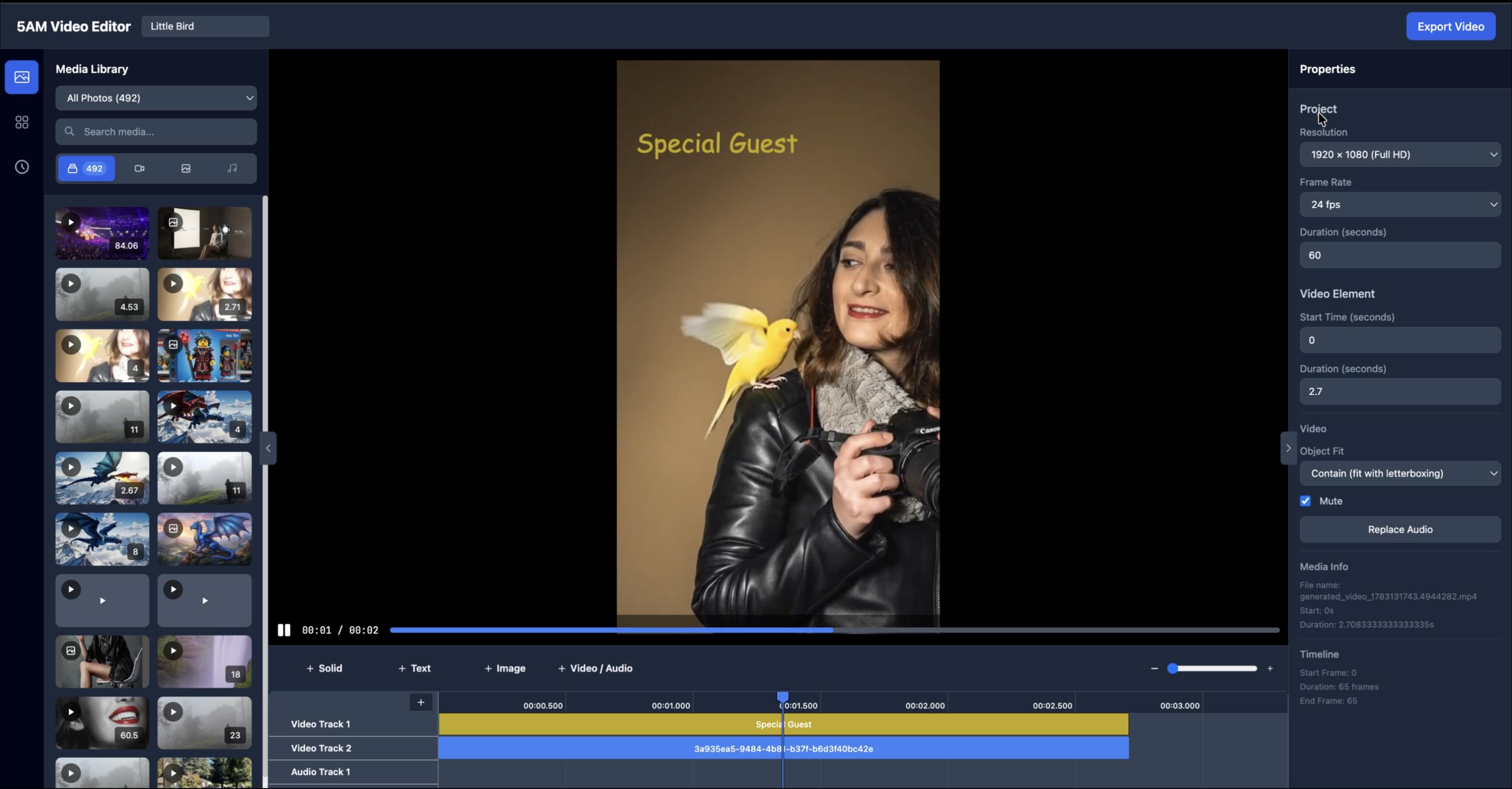
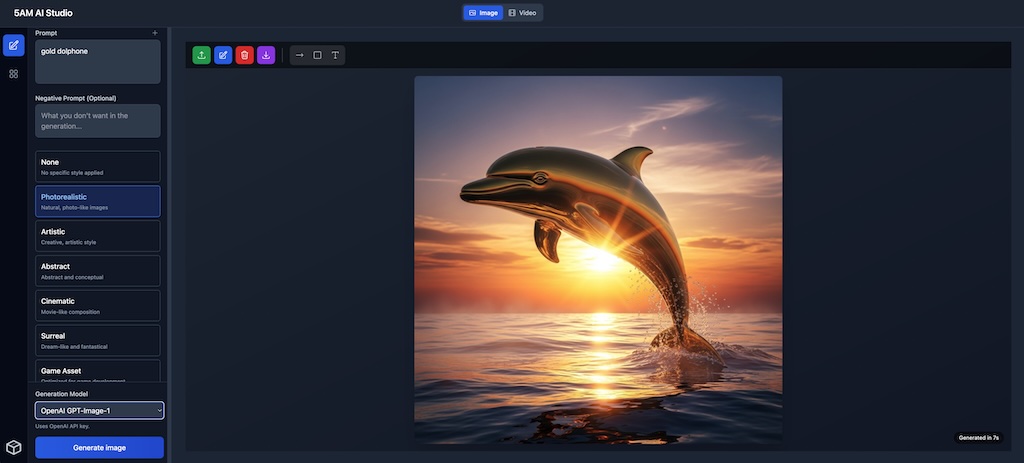
A timeline editor in the browser, working directly on your library. No download step, no size ceiling, no export roulette.
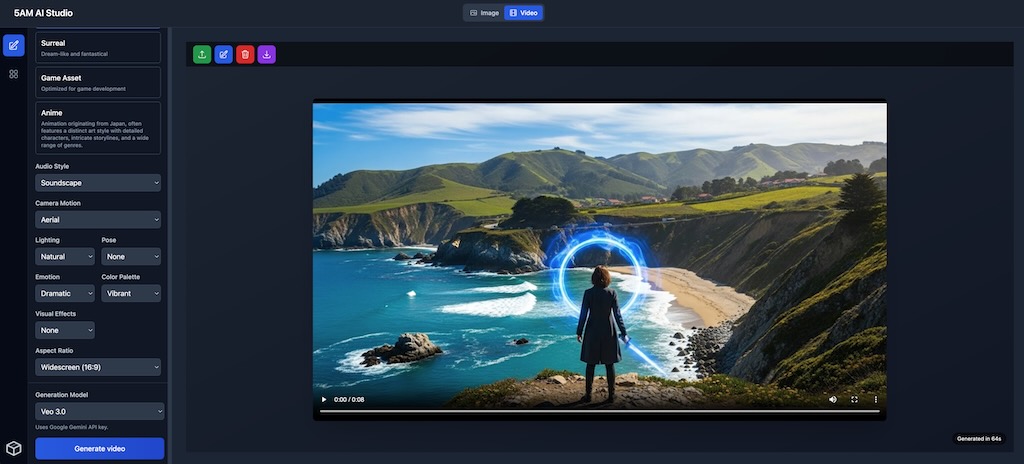
Generate with the best models. Pay what they cost.
Imagen, Veo, DALL·E — bring your own keys; we don't mark up token usage. AI Characters remember your style: a teammate, not a stranger every time.
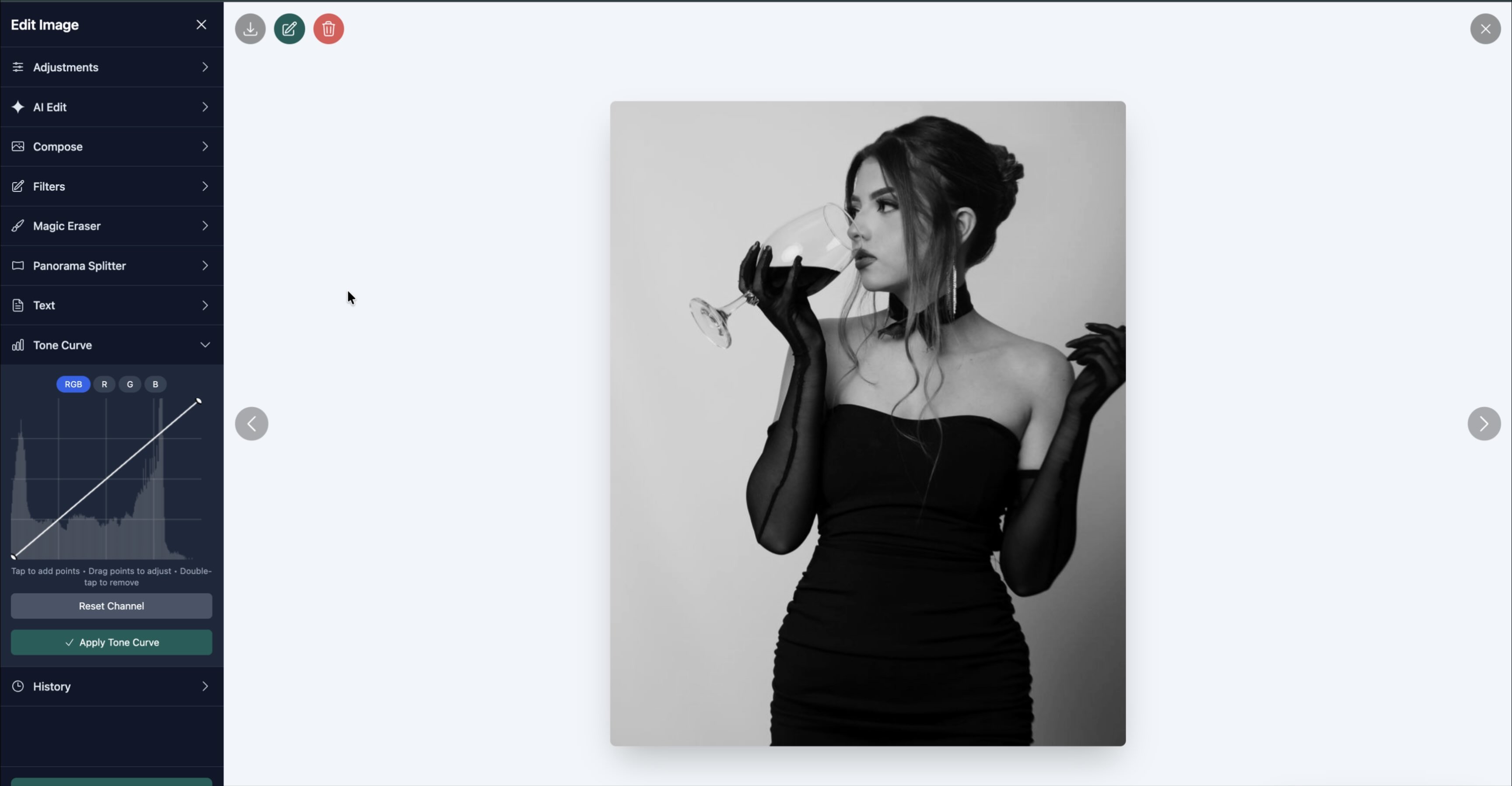
Pro edits, zero round-trips.
Magic Eraser, tone curves, crops, and text overlays — non-destructive edits on any file already in your library.
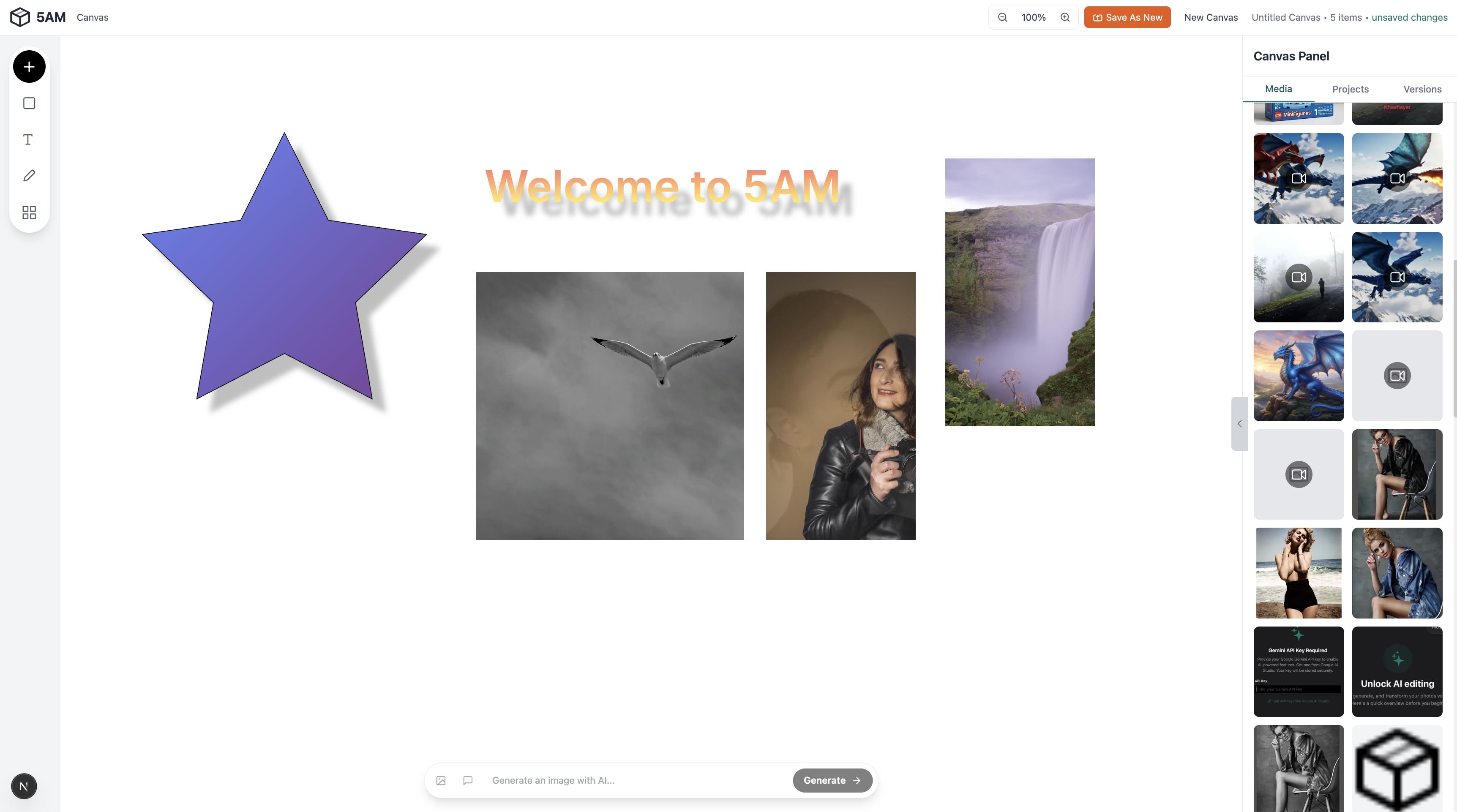
Compose it. Animate it. Ship it.
A freeform canvas for combining photos, video, shapes, text, and freehand drawing — with AI edits on any element. Describe an animation in plain language and export it as MP4, straight to your albums.
Semantic Search
Search by meaning, not filenames.
“Dog on a beach at sunset” finds the file — even if you named it IMG_4421.HEIC.




Get Paid
You set the price. You keep the money.
Share albums with clients or fans — free, invite-only, or paid. Stripe payouts go straight to your account. We’re not a marketplace taking a cut on top of the card fees.
And you don’t have to be paying us to start getting paid — selling access works on the Free plan.



AI Characters & Playground
A regular AI chat is a stranger.
Yours is a teammate.
Build a focused assistant once — expertise, tone, memory, skills — and reuse it forever. It knows your library, remembers last week, and learns from your feedback.
In the Playground, an orchestrator breaks big jobs into pieces and hands them to your specialists. It’s less like prompting an AI and more like running a small team.
Orchestrator
Launch announcement: splitting into research, draft, and hero image. Delegating.
Researcher
3 sources pulled · summary ready.
Editor
Draft written in your voice · 320 words.
Visualizer
Hero image generated → saved to your library.
CLI & Agents
An agent that can actually manage a media library.
Every 5AM feature is scriptable. A single Go binary, JSON by default — wire it into your automations, or hand it to your AI agent instead of just talking about one.
$5am media semantic-search "sunset drone shots"
✓ 3 matches · DJI_0067.MP4 · reel-final-v2.mp4 · IMG_2201.MOV
$5am media upload ./renders -r --album client-x
✓ 14 files uploaded · 2.3 GB
$5am albums share client-x --share [email protected]
✓ shared · access: view
Add Up Your Stack
What are you paying for the plumbing?
Put in your own numbers — we won't guess them for you.
Fill in what you pay each month and we’ll total it up.
Creativity never sleeps.
Turn the 5 a.m. idea into shipped work. Store it, make it, sell it — in one place.
5 GB free · No card required · Free on iPhone and iPad
Running a team? Talk us through your workflow →