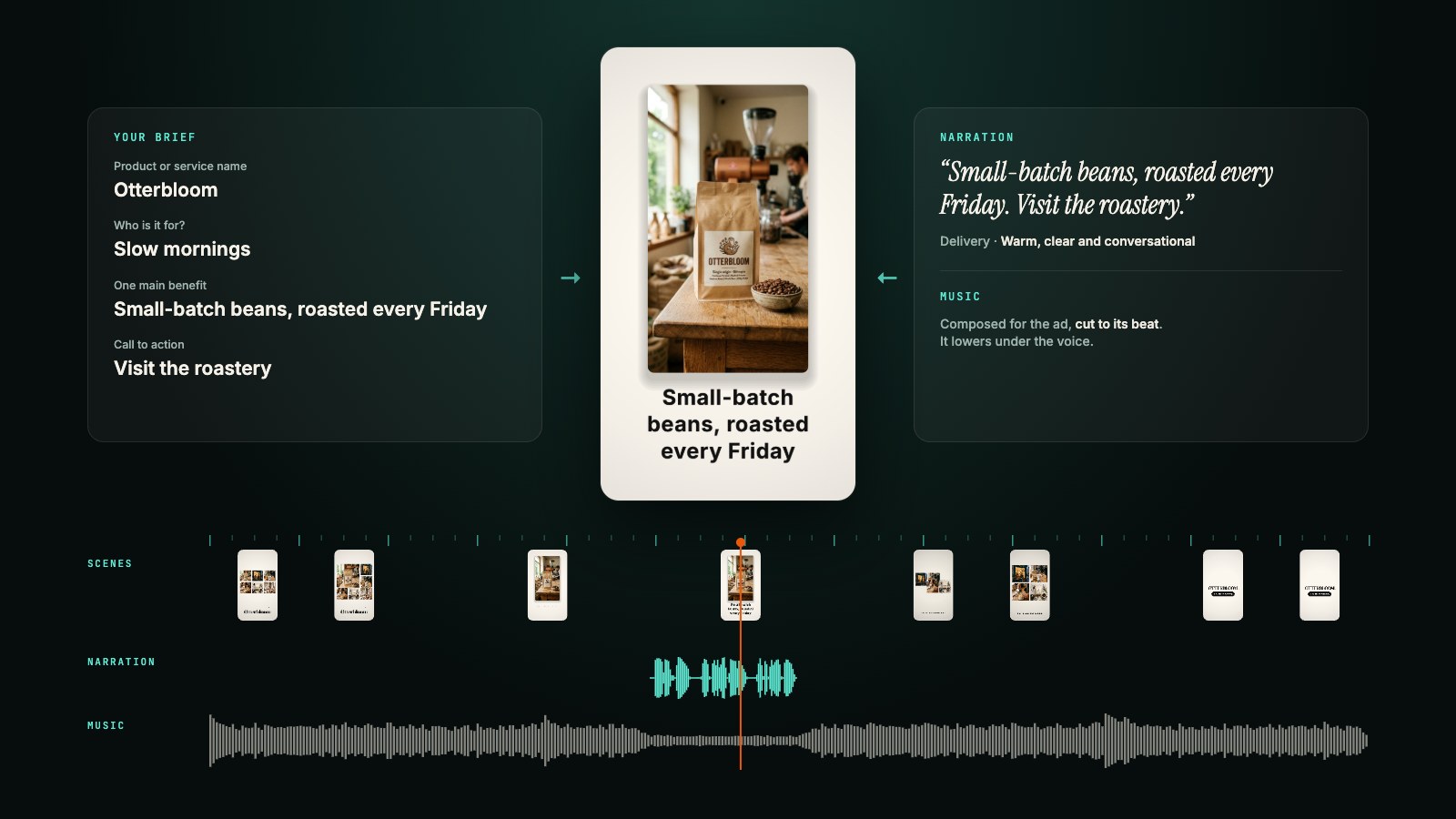
A clip is never made by one person. The podcast guest wants to check their quote before it goes out. The producer thinks the middle drags. The director has a view on the ending, the co-host on the title, and the sponsor wants the logo a beat earlier. Today all of that arrives by email and in group chats, five threads for one forty-second clip, and every note starts the same way: "Around the twenty-second mark, the part where..."
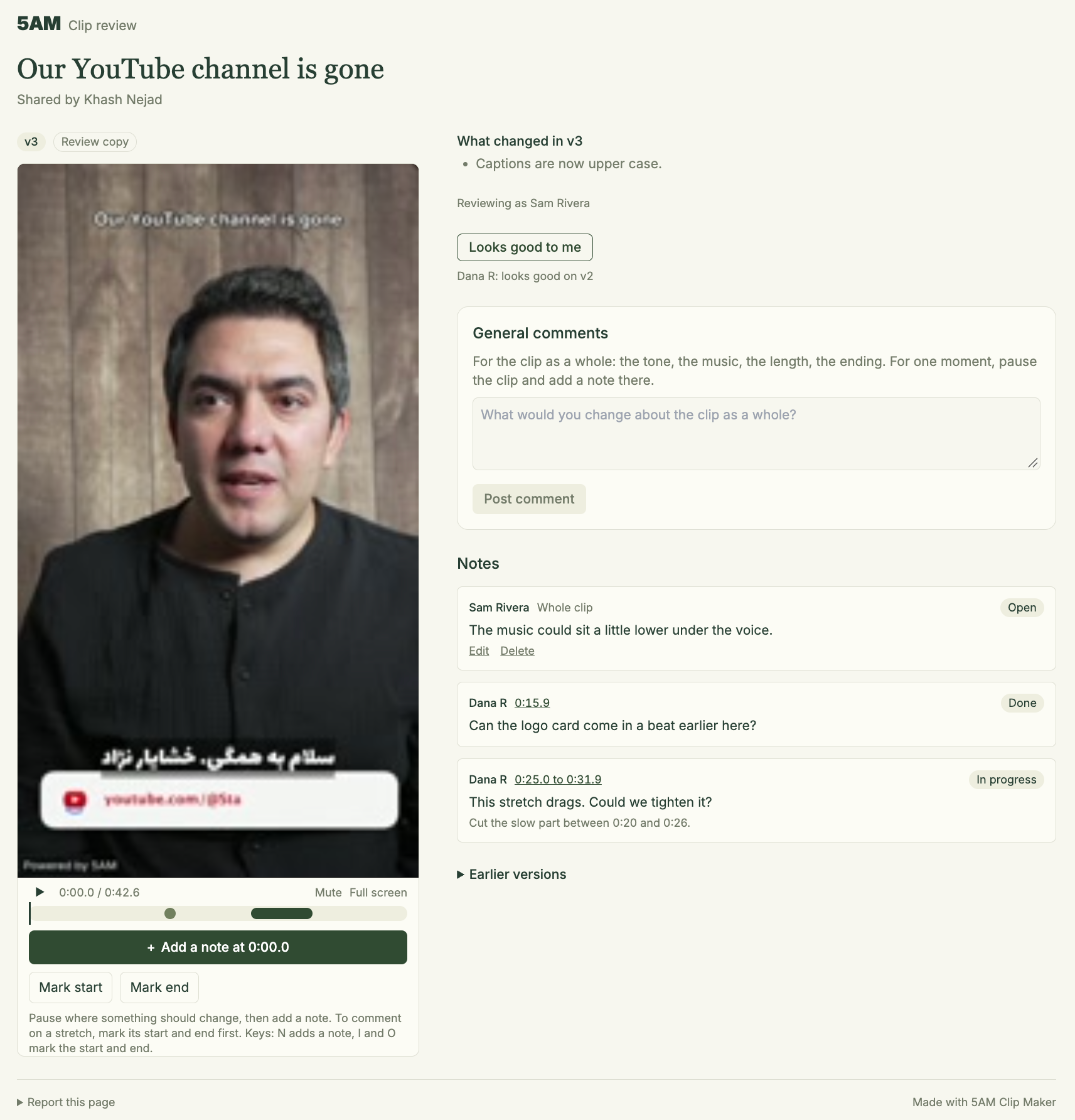
Review links put the whole team on the same clip. In Clip Maker, choose Share for review and send one link to everyone who has a say. Each of them watches the clip and leaves notes right on the picture: at the exact moment, over a stretch, or about the clip as a whole. They see each other's notes, so the producer and the director are working from the same page. Every note lands in Clip Maker with the name of the person who wrote it, the AI applies them alongside yours, and you send everyone the next version with one click.
Everyone who works on a clip, in one place
One link for every clip you share from a project, and everyone you send it to leaves notes in the same room:
- Podcast guests check that the quote is theirs and in context, that their name and title are right on the card, and flag the word they wish they had not said. Then they press Looks good to me, and you have their sign-off before it goes out.
- Producers watch for pace: the stretch that drags, the cut that lands a beat late, the clip that runs ten seconds too long.
- Directors and creative leads look at the whole thing: the framing, the captions, the music under the voice, the ending. That is what General comments is for.
- Co-hosts speak up for their own moments, and catch the joke that only works with the line before it.
- Sponsors and clients check the logo, the claim and the call to action, and sign off on the version that ships.
Because everyone sees everyone's notes, nobody asks for the same change twice, and when the producer and the director disagree you see both notes side by side. You stay the editor: the AI only revises when you choose Apply notes, a note you mark done or delete is left out, and nothing on the clip changes until you say so.
Share your clips
Check the clips you want reviewed in the list on the left of Clip Maker, or open one clip's Share & export tab, and choose Share for review. Before anything leaves your computer, Clip Maker tells you what happens: it uploads a copy of each clip's current version, with the 5AM mark unless you have already exported it, and the copies count toward your storage until you close the link.
Then you get one link for all of them. Review link at the top of the page copies it for an email or a chat, opens the page yourself, turns email updates on or off, or closes the link. Share more clips later and they join the same link, so your guest gets one address for the whole episode.
Your source video never uploads. Only the clip you share does.
What your reviewers do
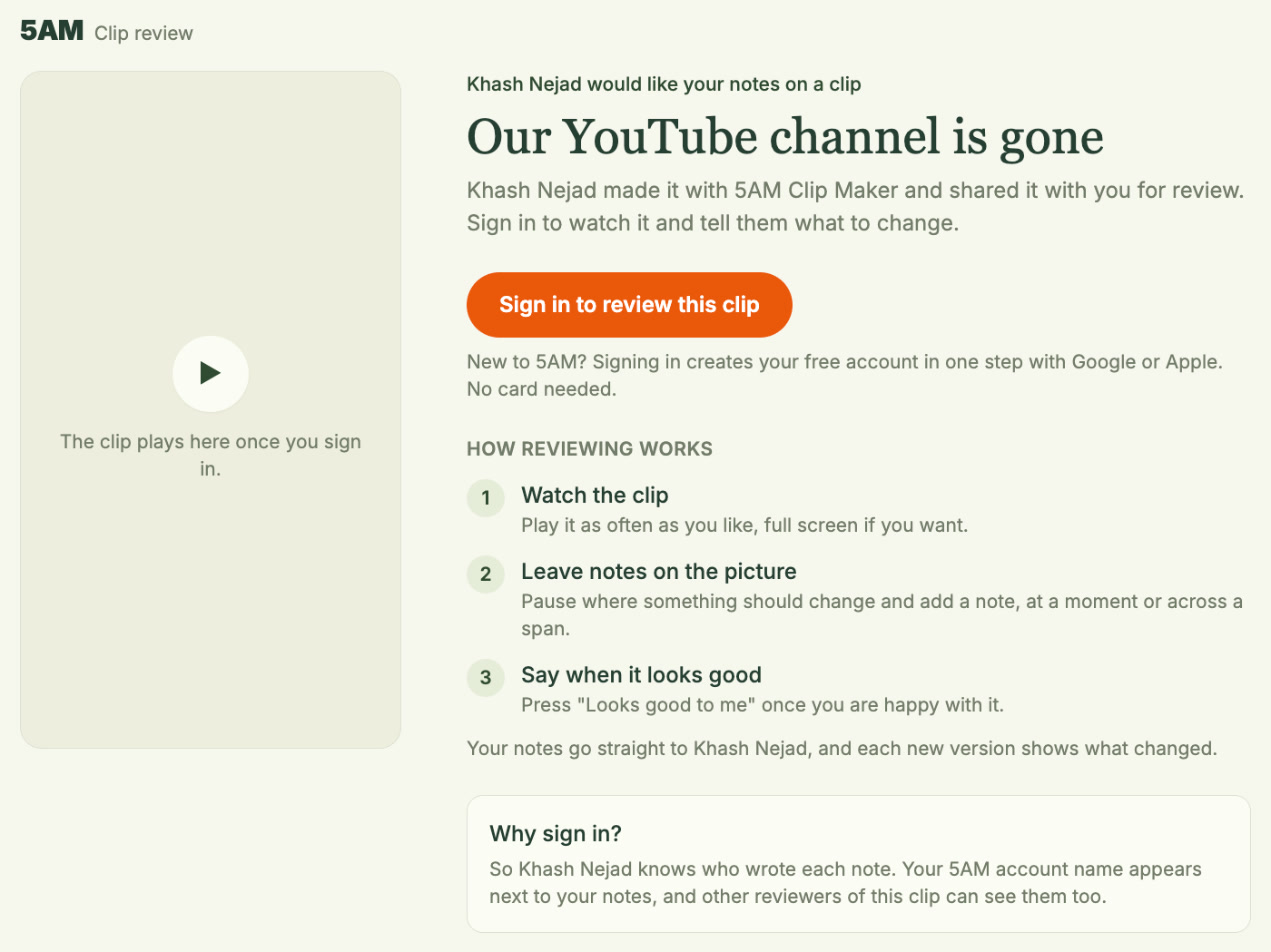
Reviewers sign in to a free 5AM account, which takes one step with Google or Apple. Someone who opens the link without signing in sees who sent it, the clip's title and how reviewing works, but nothing of the clip itself.
Once they are in, the page is made for someone who has never seen Clip Maker:
- A note at a moment. Pause where something should change and press Add a note at 0:20.5. The note is pinned to that moment and shows as a marker on the timeline.
- A note on a stretch. Mark start and Mark end turn the button into Add a note on 0:14.9 to 0:20.5, for "this whole part drags".
- A comment on the whole clip. General comments is for the tone, the music, the length or the ending.
- A sign-off. Looks good to me tells you they are happy with this version.
- Several clips. A link with several clips shows them in a strip at the top, with what the reviewer has already said on each, and Next clip moves on.
On a laptop the clip plays on the left and the notes sit on the right, so a reviewer can keep watching while they read the rest of the team's notes. On a phone it is one column, which suits the guest who opens the link between meetings. Each note carries the name of the account that wrote it.
Their notes, in Clip Maker
Open the clip's Notes tab and the whole team's notes are there with yours, each with the name of the person who wrote it. Clip Maker checks for new ones while the tab is open, and Check now checks at once. With email on, you get one email shortly after new notes arrive and at most once an hour, never about notes you have already seen in Clip Maker.
From there it is the notes loop you already know. Choose Apply notes, and one AI call reads the clip and every open note, yours and theirs, and proposes edits from a fixed set. Code checks each edit before the clip re-renders as a new version. Each note gets a one-line reply saying what changed or why it could not, and the reviewer sees that reply and the note's status on their page. You can also mark a note done yourself, delete it, or block a reviewer who is not helping.
Send the next version
A new render does not reach your reviewers until you say so. When the link shows an older version than the one in Clip Maker, the clip's Share & export tab says Reviewers see v1. with Send v2 to review.
Reviewers then see that v2 is ready, with what changed in it, and switch when they are ready, so nobody's playback is cut off mid-sentence. A "Looks good to me" on v1 stays a sign-off for v1: they watch v2 before they can say it about v2.
Your own Approve stays separate from theirs. Approve the version you are happy with and the export dialog starts with it selected; the clip's Share & export tab tells you if the clip has changed since.
You stay in charge
- Only signed-in reviewers. The link shows nothing of the clip to anyone who is not signed in, and every note says who wrote it.
- The version you sent, and nothing else. The page plays the version you sent, with the 5AM mark unless you exported that version, and has no download button.
- Your notes stay yours. Notes you write in Clip Maker never appear on the review page.
- Close it when you are done. Close link ends it for everyone, the copies on 5AM are deleted and the storage comes back. A copy of a version you replaced is deleted about an hour after you send the next one.
- Reports. Anyone signed in can report a review page, and 5AM can take it down.
Pricing
Sharing a clip for review works on every plan, including the free one. The copy counts toward your library storage until you close the link. Reviewers need a free 5AM account and pay nothing. Applying notes uses your AI credits or your Gemini key, like the rest of Clip Maker, and downloading or exporting a finished clip costs 50 AI credits per clip, as before.
Practical details
- Requirements: Clip Maker with the current 5am CLI running
5am studio. An older companion does not show Share for review;5am updatebrings it up to date. - Reviewers: up to 50 people per link, on a laptop or a phone, in any current browser.
- Notes: at a moment, over a stretch or about the whole clip, up to 1,000 characters each.
- One link per project: clips you share later join it, and the address stays the same as you send new versions, so reviewers can keep coming back to it. Remove from the link takes one clip out.
Get started
5am update
5am studio
Then open Clip Maker, make a clip, choose Share for review, and send the link to everyone who has a say in it: your guest, your producer, your director, your sponsor.