Everyone with a long video has the same problem: the good ninety seconds are trapped inside the boring ninety minutes. The webinar with three quotable moments. The podcast episode with one perfect exchange. The conference talk where the demo, just the demo, would make a great Reel.
Clip Maker is a web app that looks like the cloud tools (pick a video, choose a style, watch clips appear), but the work happens on your computer, driven through the 5am CLI. For a local source, AI steps use extracted audio or a downscaled video proxy, and rendering runs on your machine. AI transcription and selection use your AI credits or your own Gemini key, and exporting a finished clip costs AI credits (details below). See current plans and pricing.
5am studio # then open 5am.app/clip-maker
Watch it work
Before the details, here's the walkthrough:
What it does
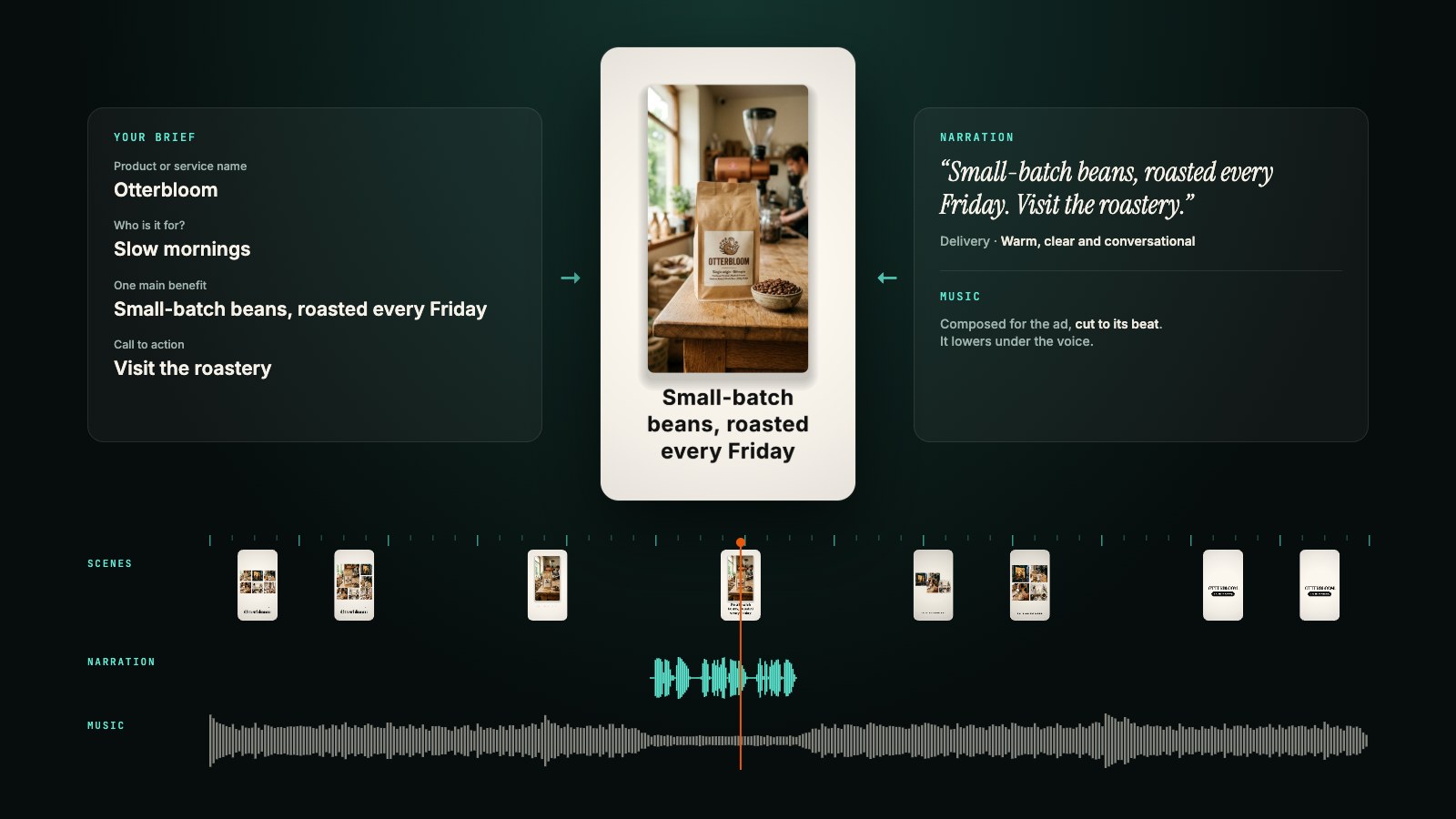
Pick a long video, from a folder on your computer or straight from your 5AM library. Tell it what to capture ("the product demo moments"), how many clips you want, how long they can run, and which shape: portrait for Shorts and Reels, square, landscape, or the original frame.
Then it works. It watches and listens to the video, picks the strongest self-contained moments (a hook, a complete thought, and a payoff), and renders each one locally with captions and an AI-written title. Clips stream into the browser as they finish, playable instantly, because they're served from your own disk. Review the selected boundaries: transcription and selection can make mistakes.
Tick the keepers and export them to an album, or download them.
New in September: the Look
Clip Maker used to give every clip the same treatment: a crop and a caption style. The Look section, on the setup screen, now decides how every clip is framed and dressed before anything renders.
- Speaker framing. Portrait and square clips follow the speaker's face instead of cropping the centre, and switch to a split layout when two speakers alternate. Choose whether the crop glides after a speaker who moves, or cuts to them.
- Captions with emphasis. The AI picks the spoken keywords worth highlighting in your accent colour, or you list them yourself. Set the position, force uppercase, or try the new Kinetic caption style alongside Clean, Bold, Minimal and Karaoke.
- Brand kit. Your name, accent colour, font (a catalog font or one you uploaded) and logo, plus speaker names shown as name chips when a speaker first appears, at every turn, or always. The kit is remembered in your browser for next time.
- Editorial cards. An AI director pass proposes up to three cards per clip, such as a callout, a quote or a list, written from what is actually said. Turn it off if you want clean clips.
- Intro, outro and music. Add an intro or outro clip and a music bed that ducks under the voice, from your library or a local file.
Edit one clip without starting over
Every rendered clip has an Edit look button that opens the Look panel for that clip only:
- Layout per cut: Fill, Split, Face or Fit.
- Captions: style, keywords, accent and case.
- Cards: edit the director's cards or add your own at the playhead. Cards are anchored to the source, so they survive a trim.
- B-roll: drop in a cutaway from your library or your disk, as a full-frame cutaway, a picture-in-picture window, or a swap that puts the B-roll full frame with the speaker in the window. The original audio keeps playing underneath.
With a current companion, the panel shows a live preview frame of your change before you save it. Saving re-renders just that clip.
Fix the words, then the edit
The AI transcribed your video; the Transcript tab lets you correct it.
- Correct everywhere: find and replace a misheard name across the whole transcript, with whole-word and case options, while word timings stay attached.
- Cut by deleting text: trash a transcript segment and choose Cut N segments & re-render. The clip is rebuilt without those ranges, with a crossfade at each cut and the captions re-sliced to match. In the full-transcript view, the same action creates a new trimmed video from the whole source.
- Nudge caption timing by editing a segment's start and end.
Each render is kept as a version. Earlier renders appear as cards in the grid with a Make current button, so going back is one click.
You can read the edit, and change it
If you've read about our highlight-reel pipeline, you know the house philosophy: the AI's output should be an artifact you can read, not a dice roll you re-throw. Behind each clip sits a small .vedl edit file, the same video-edit language the CLI uses:
source "talk.mp4"
cut 754.2 782.9   # the demo lands, the room reacts
text "The thirty-second demo" atsrc 754.2 for 2.5 pos=top size=56
fade in 0.3
fade out 0.3
Open the Script tab, nudge the cut two seconds earlier, change the title, save, and the clip re-renders in place. A typo gets you the parse error with a line number. Editing a script and rendering it locally does not make another AI request.
Exporting, and keeping it editable
Previews are free to watch. Downloading a clip or exporting it to your library costs 50 AI credits per clip, and the Export button shows the price before you commit. This applies to every account, including those using their own Gemini key, because it covers the export rather than a model call. The charge is tied to the exact rendered clip: downloading and then exporting the same render, or retrying a failed export, does not charge again. If your balance is short, the export dialog tells you how many credits you need and links to your credit settings.
Exported clips count toward your library storage. Export needs a CLI token with Write access; a read-only token can preview but not download or export.
Turn on Keep it editable in the export dialog and Clip Maker also builds a Video Editor project from your clips, with the framing, captions, cards, B-roll and logo as editable items rather than burned into the pixels. This is the one option that uploads your original video (once), so it is off by default and the toggle shows the file size before you agree.
What stays local, and what is sent
For a video on your computer, the original stays there during transcription and clip selection. The AI steps send derived media: audio for transcription and, when finding clips by video, a downscaled proxy for analysis. Finding clips by speech alone skips the video analysis.
- AI access: supported calls spend your AI credits through 5AM's proxy, or go to Google with your own Gemini API key. Your own key makes Google responsible for that bill; it does not make the calls free.
- Rendering: FFmpeg cuts, crops, and burns captions on your computer, using your CPU, disk and power.
- Companion connection:
5am studiolistens only on127.0.0.1. Browser-origin and account checks restrict access; nothing is exposed on your local network. - Library sources: picking a library video downloads a local copy for processing. That original was already stored in 5AM.
- Exports: only the clips you export upload, unless you turn on Keep it editable.
Cached transcriptions avoid repeating transcription work. Changing the brief or clip count can trigger another AI selection.
Projects that survive
Every video you continue with becomes a project on your machine: clips, transcript, scripts, all of it, stored under ~/.5am/studio/. The companion keeps working after you close the tab. After restarting it, check the project's status, since interrupted work may need a retry. Open the Projects tab next week in a different browser and it's all there, because your work lives in files on your computer, not in a browser session.
The scriptable twin
The CLI does the same work headless, with the new looks available as flags:
# Five 9:16 clips that follow the speaker, with emphasised keywords and your brand
5am media clips talk.mp4 --count 5 --framing face --captions pop \
  --brand-name "The Show" --brand-accent "#ff6a00" --cards auto

# Every clip ships with its editable script; tweak and re-render without AI
5am media edit render talk-clips/clip-02.vedl --output clip-02-fixed.mp4
manifest.json describes everything produced (titles, the AI's reasoning per clip, timings) in JSON, so a scheduled job can clip your weekly stream. Run 5am media clips --help for every option.
Practical details
- Browsers: Chrome, Edge, or Firefox. Safari won't let https pages talk to localhost, and the connect screen says so if it detects it.
- Requirements: the CLI, a free 5AM account, AI credits or your Gemini API key, and FFmpeg with libass for captions (
brew install ffmpegcovers it). The Clip Maker page walks you through each step. The Look features need the current CLI; an older companion shows the earlier options. - Any language: transcripts, captions and titles are Unicode end to end, including right-to-left scripts and CJK, shaped through your system fonts.
Get started
curl -fsSL https://cli.5am.app/cli/latest/install.sh | sh
5am login                        # use a token with Write access from Settings → CLI Access Tokens
# Optional: use your own key instead of AI credits
# 5am keys set gemini YOUR_GEMINI_KEY
5am studio
Then open Clip Maker and feed it the longest recording you have. Review the proposed clips and their captions before you export.