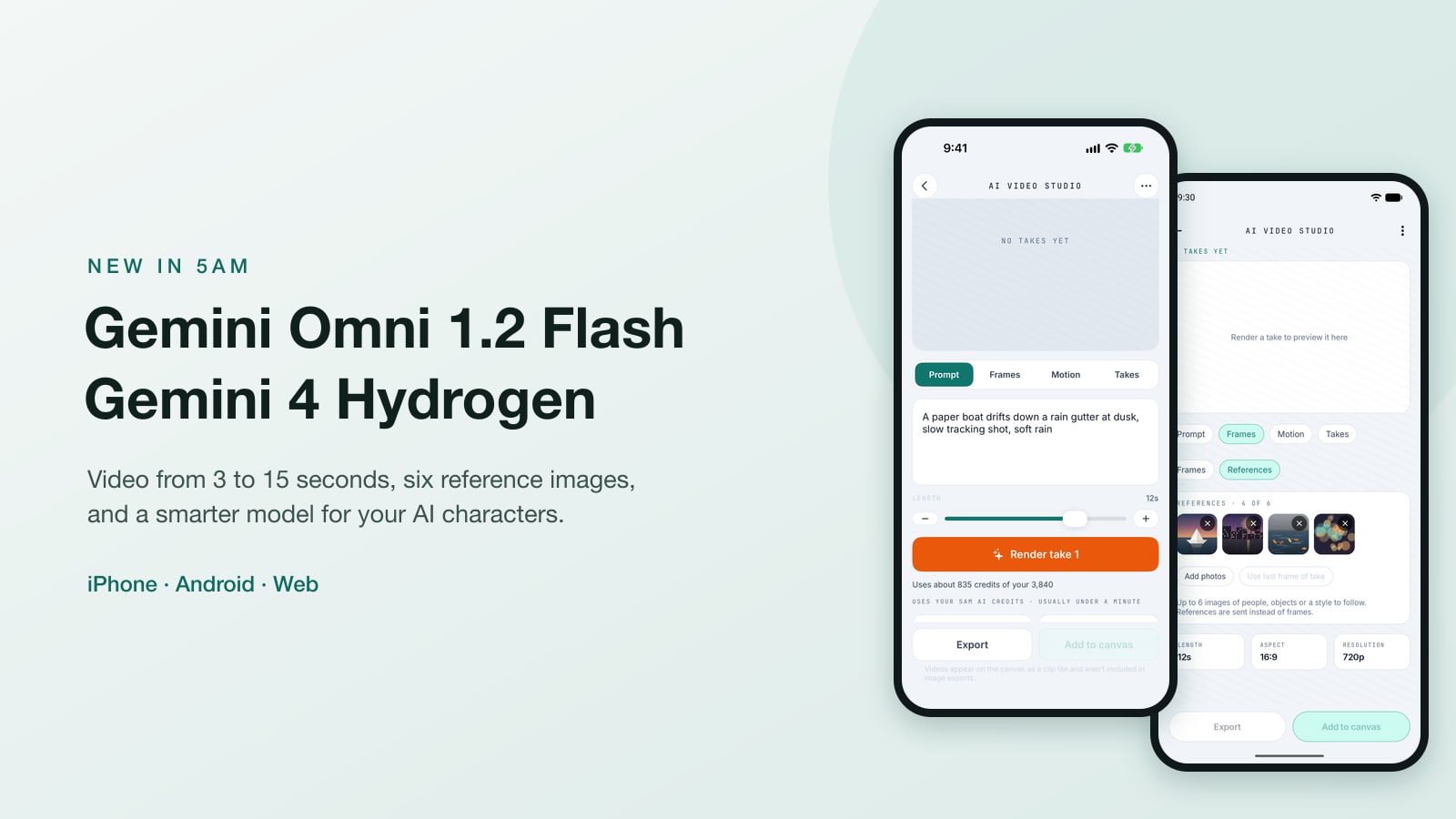
Two new Gemini models arrive in 5AM today, on your phone and on the web.
Gemini Omni 1.2 Flash is the new video model in the 5AM app for iPhone and Android and in AI Studio on the web. Clips can now run anywhere from 3 to 15 seconds, you can give it up to six reference images to keep a person, a pet or a product the same from shot to shot, and every second of video costs about a third fewer AI credits than before.
Gemini 4 Hydrogen is Google's newest Flash model, and you can now pick it for any of your AI characters.
Video on your phone, made longer and cheaper
Open AI Video in the 5AM app, describe the shot, and generate. Everything you know still works the same way: pick 16:9 or 9:16, start from a photo, or give a first and a last frame and let the video move from one to the other. What changes is what you can ask for.
Any length from 3 to 15 seconds. The four fixed lengths are gone. A slider takes you to the exact second you want, from a 3-second loop to a 15-second scene. With both a first and a last frame, clips run up to 10 seconds.
Up to six reference images. Switch from Frames to References and add up to six photos: a person, their dog, the mug on the table, the jacket you are selling. The video keeps them looking like themselves. You can name them in the prompt ("reference image 1 picks up reference image 2") when you want to say who does what. References and frames are separate choices: a clip uses one or the other.
360p to 4K. 360p makes a quick, cheap draft to check the idea. 720p is the default, and 1080p and 4K are there when the clip is the one you keep.
You see the cost before you tap. The estimate under the prompt follows the length and resolution as you change them. An 8-second clip at 720p is about 557 credits, down from about 811 with the previous model. A 15-second clip at 720p is about 1,043 credits. 4K costs about three times as much as 720p, so a 15-second 4K clip is about 3,128 credits: the estimate shows it before anything is spent.
On iPhone
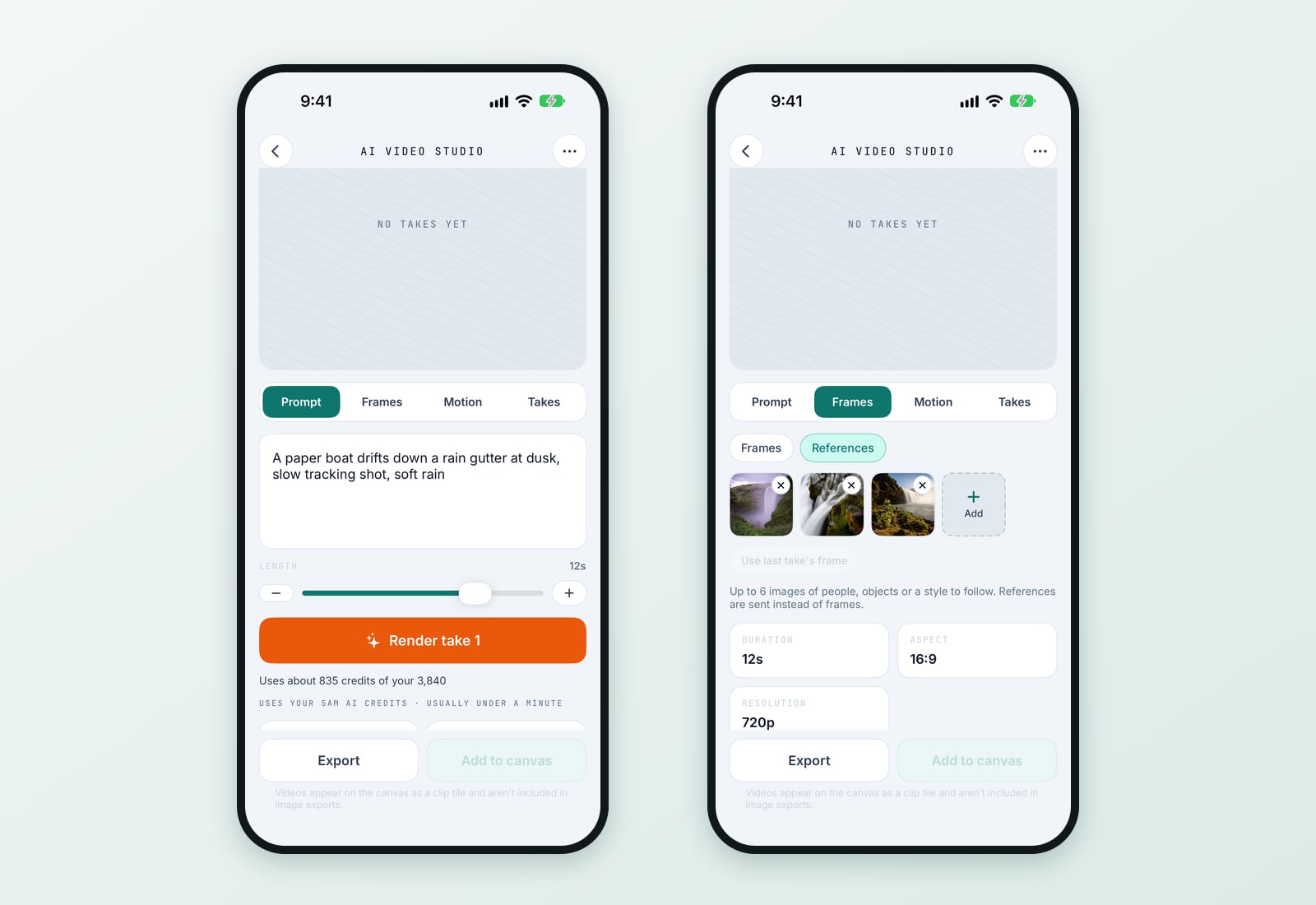
The length slider sits right under the prompt, with the cost of the clip under the Render button: a 12-second clip at 720p is about 835 credits, and the same clip at 360p is about 279. Tap the resolution tile to step through 720p, 1080p, 4K and 360p.
On the Frames tab, switch to References and pick up to six photos from your library. Use last take's frame adds the final frame of your last clip, so the next clip carries the same look forward.
On Android
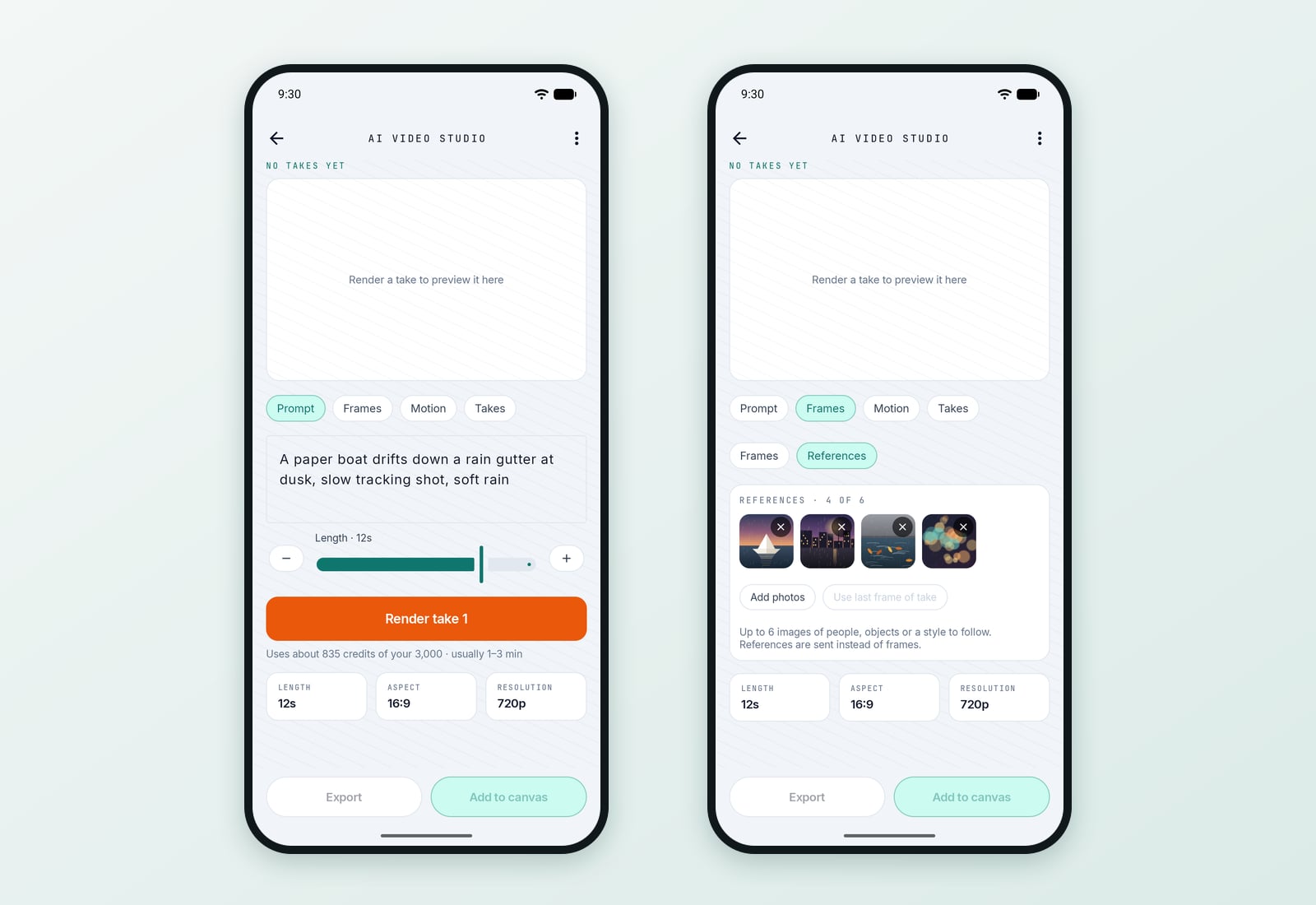
Android has the same studio: the length slider with its live cost, the Frames and References switch with up to six photos from your library, and all four resolutions.
Editing a video in chat
The AI video editor in the apps runs on Gemini Omni 1.2 Flash too: pick a part of your video, say what to change ("make it night", "add falling snow", "turn the sign red"), and keep going one change at a time. Each change builds on the last one.
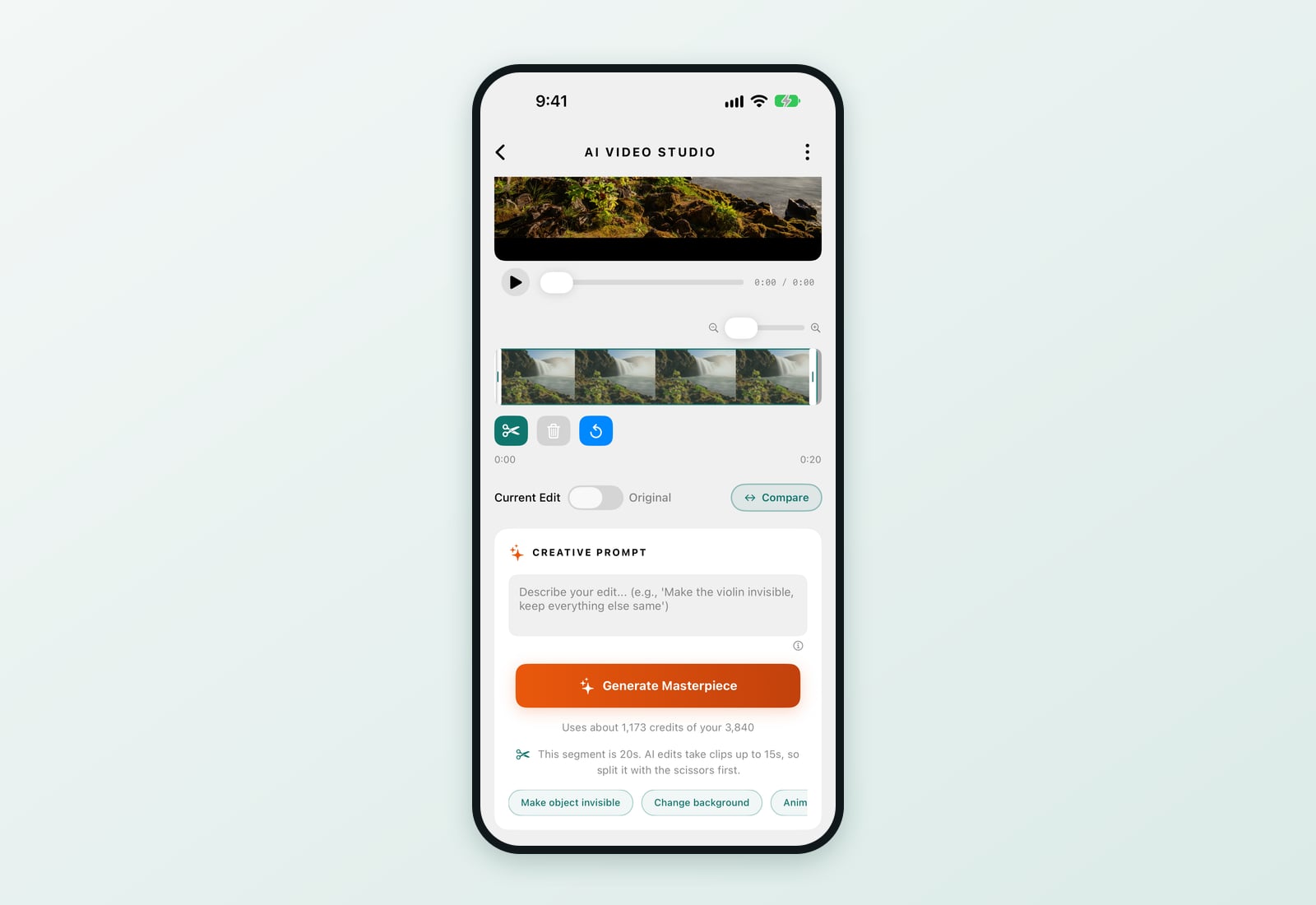
A clip you send for an edit can be up to 15 seconds long. If you select a longer part, the app tells you before anything is sent, so you can split it with the scissors first. The cost shown counts all the video the model looks at for that change, so a long run of edits on the same clip costs a little more each time, and you see that before you send.
On the web: AI Studio
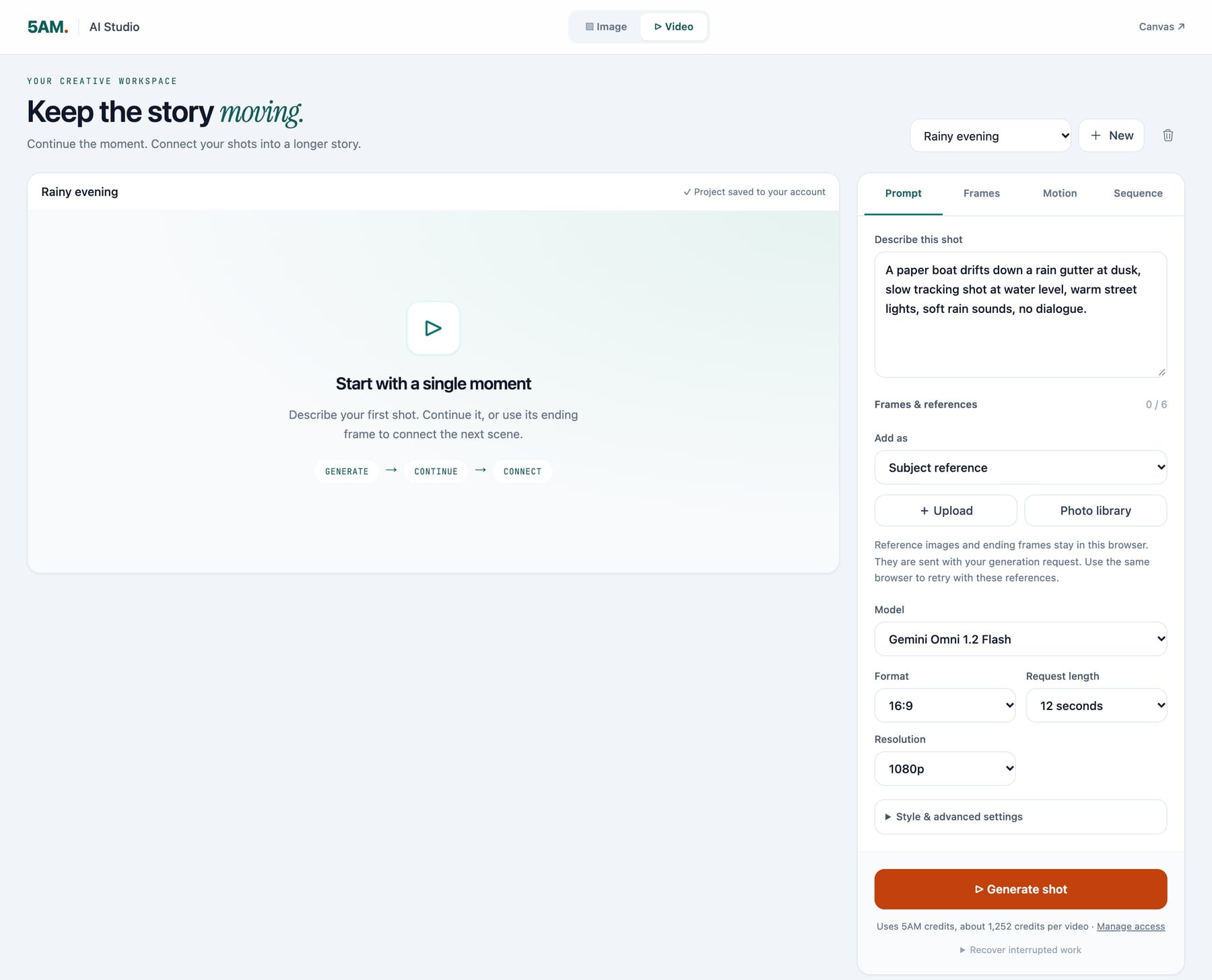
In AI Studio, Gemini Omni 1.2 Flash is the model a new video starts on. The length list runs from 3 to 15 seconds, the resolutions from 360p to 4K, and Frames & references takes up to six images.
Continue this shot adds 3 to 10 seconds at a time to a clip, up to 30 seconds in all, and only offers the lengths that still fit. Each continuation looks again at the whole shot so far, so the estimate grows as the shot gets longer.
Gemini Omni 1.1 Flash is still in the Model list, so a shot you made with it can be continued with it.
Gemini 4 Hydrogen for your AI characters
AI characters can now think with Gemini 4 Hydrogen, the newest Flash model from Google. Google describes it as faster and more careful with facts than the Flash models before it: when it lacks the context to answer, it says so instead of guessing. It also handles the tasks characters are built for: searching the web, reading a link, finding places on a map and using the character's skills, all in the same reply.
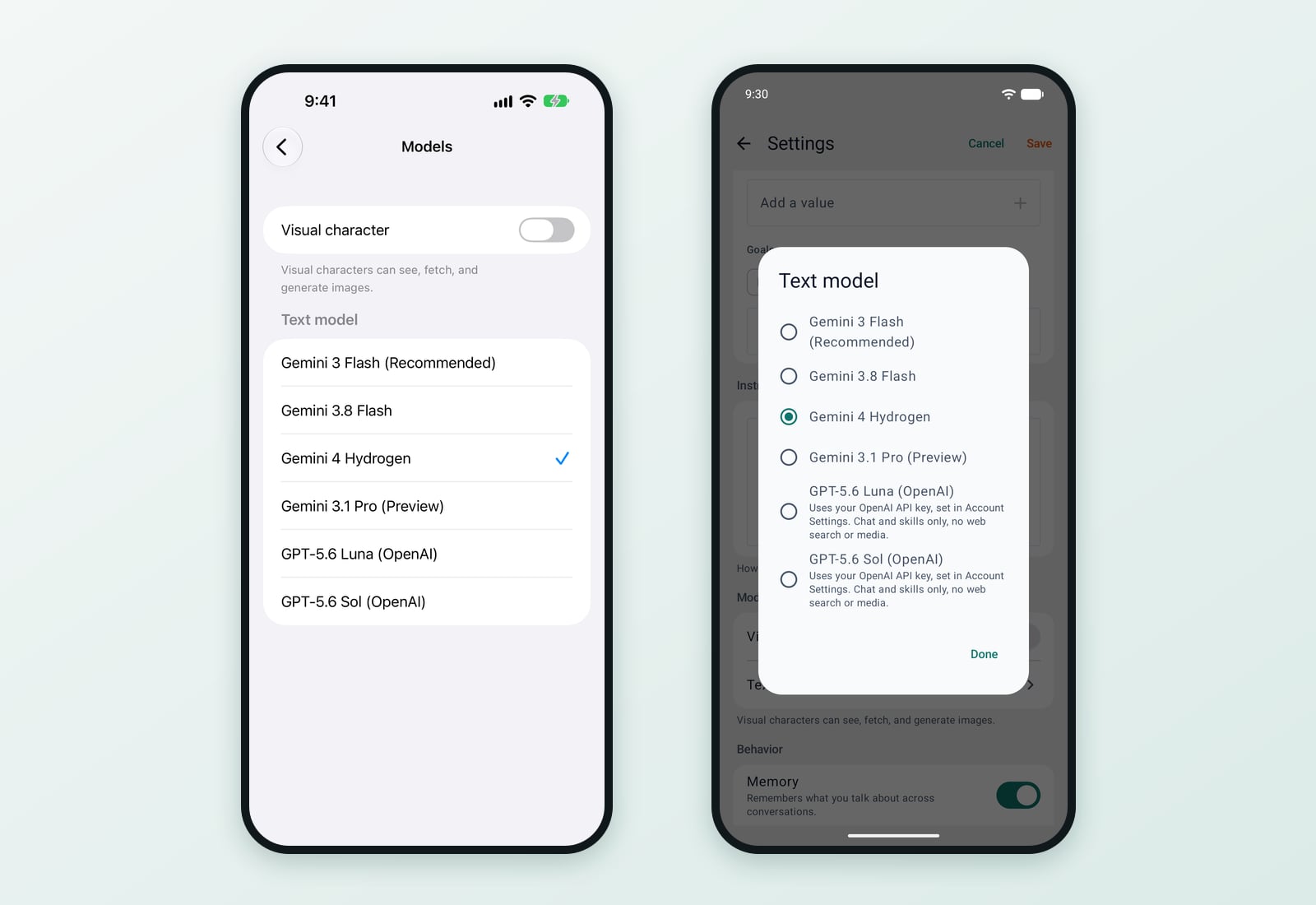
To switch a character, open its Settings and choose Gemini 4 Hydrogen under the text model. It is the same on the web, on iPhone and on Android.
Hydrogen uses about twice as many credits per word as Gemini 3.8 Flash, and fewer than Gemini 3.1 Pro. Gemini 3 Flash stays the default for new characters, so nothing changes for a character until you choose Hydrogen for it.
In the 5AM CLI
From CLI v1.8.97:
5am media generate videoruns Gemini Omni 1.2 Flash.--durationtakes any whole second from 3 to 15,--reference-imagetakes up to six images, and--resolution 360pmakes a quick draft. Add--model gemini-omni-1.1-flashto keep the previous model.5am media generate text --model gemini-4-hydrogenand5am ai ask --model gemini-4-hydrogenuse Hydrogen.5am characters create --ai-model gemini-4-hydrogenmakes a character that thinks with it, and5am characters updateswitches an existing one.
The CLI guide has every flag.
Practical details
- Where: the 5AM app for iPhone and Android, AI Studio on the web, and the 5AM CLI.
- Video lengths: 3 to 15 seconds; up to 10 seconds with a first and a last frame. Continuations on the web add 3 to 10 seconds, up to 30 seconds in all.
- Reference images: up to six per clip, instead of frames.
- Resolutions: 360p, 720p (the default), 1080p and 4K.
- Video edits: clips of up to 15 seconds.
- Credits: AI video uses your plan's AI credits or your own Gemini key. The estimate in the app is shown before you generate. See pricing for each plan's allowance.
- AI characters: available with the Premium plan and above. Hydrogen works on AI credits or your own Gemini key.
Get started
Update the 5AM app for iPhone or Android, open AI Video, and drag the slider to the length you want. On the web, open AI Studio. To try Hydrogen, open any character's Settings and pick Gemini 4 Hydrogen.