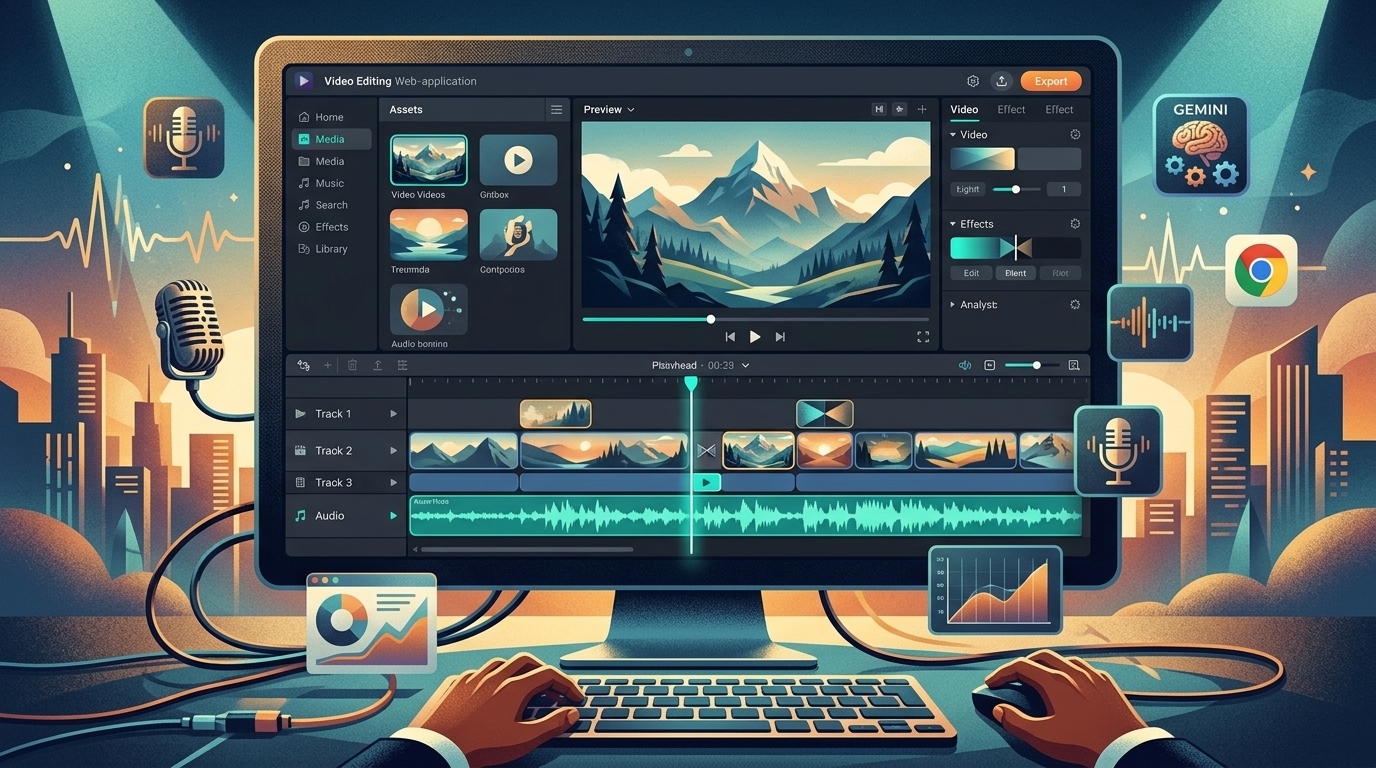
Video Editor decodes, previews, composites, and exports video in your browser. Library media is downloaded or streamed from 5AM to your device for editing; exporting the timeline does not require a cloud render farm.
Your library files and saved projects are still stored in 5AM. Uploading local media, saving a project, and using AI generation are separate operations with their own data flows. Browser rendering does not mean the entire workflow stays off the network.
It's live right now at video-editor.
What you can do with it
The timeline works the way you'd expect if you've touched any modern editor:
- Blade & split. Press
S(or⌘K, or use the toolbar scissors) to split the selected clips at the playhead — or every clip under it when nothing is selected. Both halves keep playing the right part of the source, because split advances the new clip's in-point rather than duplicating media. - Transitions. Crossfade, fade-to-black, and wipe between adjacent clips, with a duration slider and a marker on the clip edge. Transitions are a property of the cut: move a neighbor away and the transition goes dormant instead of corrupting anything; put the clips back together and it wakes up.
- Per-clip effects. Brightness, contrast, and saturation sliders plus preset looks (noir, sepia, warm, cool, vivid, faded) on any video or image clip — applied in the preview and export through shared rendering logic.
- Per-clip volume. 0–200% loudness on any audio or video clip. Crossfades use equal-power curves, so blends don't dip in loudness halfway through.
- Layers. Stack tracks with videos, images (full-frame or positioned overlays with scale and opacity), text, solids, and audio with live waveforms.
- Ripple editing. Ripple-delete closes the gap a removed clip leaves behind; Alt-drag a trim handle and everything downstream follows.
- Undo/redo.
⌘Zthrough your whole session — one undo step per gesture, not one per pixel of slider movement.
And when you're done: Export Video produces a real MP4 — H.264 with AAC audio, bitrate scaled to your resolution and frame rate — encoded on your machine. Available codecs and hardware acceleration depend on your browser and device.
The part we're proud of: one compositor, two threads
Separate preview and export renderers can disagree about drawing order, effects, or timing. Sharing those operations gives both paths a common implementation.
Video Studio uses that shared approach. Every frame you see — in the live preview and in the exported file — is now drawn by one shared compositor module. The preview worker and the export worker each supply it a tiny adapter ("give me a drawable for this clip at this time") and the compositor owns everything else: layer order, transition blending, effect filters, letterboxing, text, waveforms. Shared rendering and audio logic reduce differences between preview and export. They do not eliminate every mismatch: fonts, media decoding, timing, browser capabilities, and encoding still matter.
Before delivery: export a short test containing a transition, a title, an effect, and audio. Play the downloaded file outside the editor. Check the beginning and end, text placement, image framing, and audio sync before exporting the full project.
Built on the modern web media stack
None of this would have been practical even a couple of years ago:
- WebCodecs gives us hardware-accelerated decode and encode from JavaScript.
- Web Workers + OffscreenCanvas keep decoding and compositing off the main thread — the timeline stays responsive while a preview plays or an export encodes. You can keep scrubbing and editing during an export, and cancel it instantly.
- The Web Audio API premixes the soundtrack — clip volumes, trims, and transition envelopes are baked sample-accurately before encoding, and audio buffers are placed by their source timestamps so trimmed and split clips stay perfectly in sync.
Long timelines get special treatment: past three minutes, the audio premix switches to a chunked pipeline that processes a minute at a time, so an hour-long cut doesn't need an hour of audio held in memory at once.
Save the project and verify it can reopen
Saved projects support auto-save and version history. Choose or create a project, wait for save completion, and reopen it to check the timeline. Local-only media must be uploaded if another device or collaborator needs it. A draft on one device is not a cloud backup. The project controls include:
- One version per gesture. Dragging a slider for five seconds produces exactly one new version, committed when you let go — not thirty micro-versions.
- A real version history. Saves are stored as compact diffs with periodic full snapshots, so you can browse and restore any point in the project's history without the storage cost of full copies.
- Conflict-safe collaboration. Share a project with edit access, and two people can work on it. Saves merge on the server with a deterministic three-way merge — tracks and clips merge by identity, so someone moving a clip to another track while you trim it resolves as both changes, not a duplicate. When the merge finds a genuine collision, the editor shows you exactly what happened instead of silently picking a side. And a background auto-save will never replace the timeline under your hands — if the server has newer work, you review it; it doesn't just appear.
Browser and project limitations
Supported formats, effects, and export capabilities change with the editor and browser. Read capability warnings in the current UI and test your actual sources; hardware acceleration is not available for every browser/codec combination.
Large projects need adequate device memory and storage. Keep the tab open through export, check that saving completed before closing, and retain originals. Collaboration can produce conflicts that need review, even when automatic merging handles independent edits.
The video-editor feature page and current editor controls describe the available tools. Check a small project before moving an entire production into the browser.
Try it
Open video-editor, drop in some clips from your library, press S
a few times, add a crossfade, drag the brightness slider, and export. Start with a short clip so you can verify playback, saving, and export on your device before a longer project.
It's part of the same hub as everything else — the library your clips come from, the CLI that can push renders in overnight, and the AI Studio that generates new material to cut. One place, browser or terminal.
We think that's how video editing on the web should feel. If you take it for a spin and something's rough — or there's a transition or effect you're missing — tell us. Early adopters shape the roadmap more than anyone else.